ABOUT

SERVICES

MANAGED & CONTINUOUS SERVICES

PRODUCTS & TECHNOLOGY

RESOURCES

The 6 Known Wi-Fi Threat Categories Targeting Your Business

The Growth of Wi-Fi

Wi-Fi access has become a way of life. From mobile devices and laptops to video game systems and household appliances, almost anything you can think of needs a wireless connection. In fact, the number of connected devices is expected to reach over 20.4B by 2020 according to Gartner.

We’ve also seen huge growth in the number of people using smartphones, jumping from 35% in 2011 to 77% in 2018. As your customers and employees are roaming around on their smartphones and other wireless-enabled devices, you’ll need to provide them robust Wi-Fi access.

But what about the inherent security risks associated with Wi-Fi? Have you thought about the threats lurking around every corner just waiting for someone to connect so they can steal their information?

Let’s take a look at some of the biggest wireless attacks that affected businesses just like yours over the past few years.

Notable Wi-Fi Hacks

TJ Maxx suffered a breach in July 2005 that was the result of an unsecure wireless network. The hacker set up shop outside of their St. Paul, MN location with a laptop and telescope-shaped antenna, downloading at least 45.7 million credit- and debit-card numbers, but potentially may have access to as many as 200 million card numbers in total.

In a report by CNBC in December of 2017, Starbucks had taken the necessary steps needed to prevent customer laptops from being used to generate cryptocurrency. The Wi-Fi in one of their Buenos Aires locations have been hacked and modified with unusual code. Once a user was connected, the Wi-Fi provider was able to use a customer’s processing power to mine bitcoin.

In March of 2018, multiple Atlanta city officials experienced a SamSam ransomware attack that was encrypting files on their devices. To prevent the spread of the ransomware over their Wi-Fi, Hartsfield-Jackson Atlanta International Airport was forced to shut down access to their Wi-Fi services. The quick decision of the security team in Atlanta potentially saved their travelers from be infected!

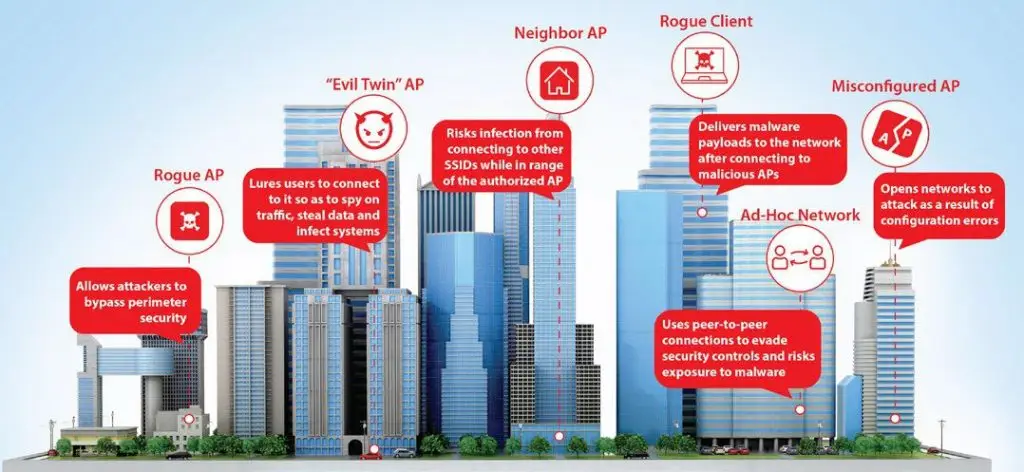
So what are the threats that you need to worry about attacking your business?

Wi-Fi Threat No.1
Evil Twin Access Point

What

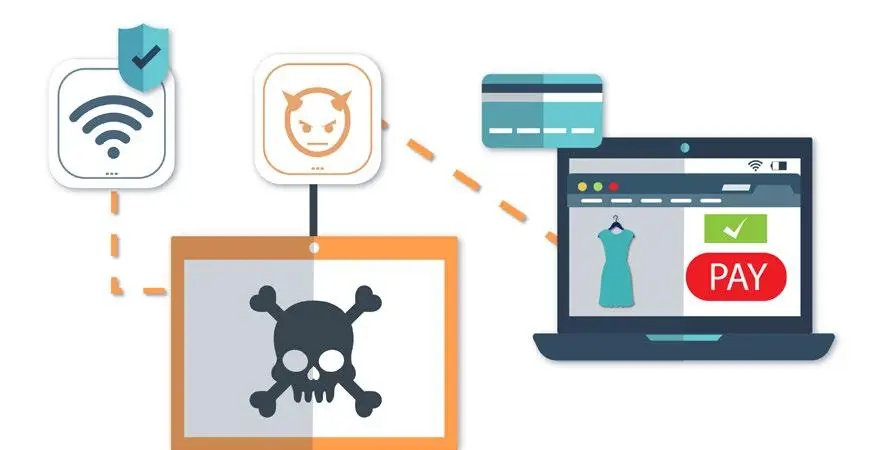
An evil twin AP will mimic a legitimate AP, spoofing its SSID and unique MAC address. Attackers can then intercept traffic and insert themselves into the data conversation between the victim and the servers that the victim accesses while connected to the evil twin
access point.

How

Once the victim is connected, the attacker can steal credentials, inject malicious code into the victim browsers, redirect the victim to a malware site, and so much more.

Example

On your lunch break you decide its finally time to update your wardrobe – nothing wrong with that! But a hacker is using an evil twin access point and you’ve now unsuspectedly connected to their copy of your Wi-Fi SSID. Once you go to check out and enter in your credit card information to order that new dress, the hacker has your information and is ready to go sell it on the dark web.
Wi-Fi Threat No.2
Misconfigured Access Point

What

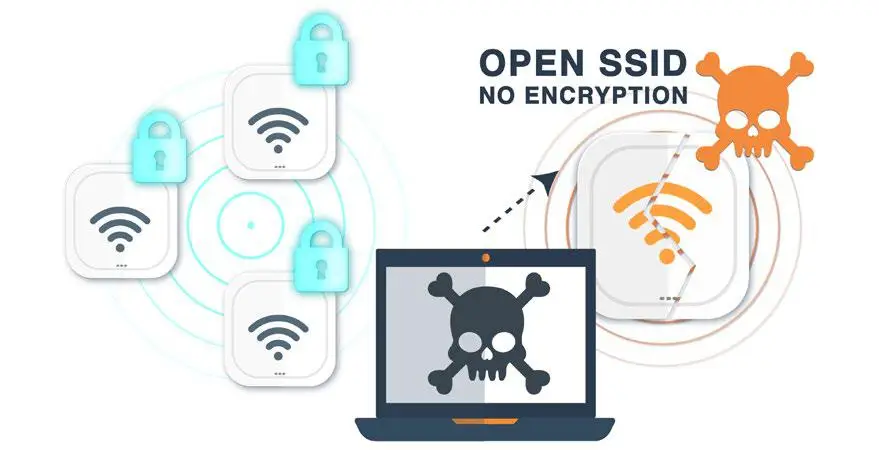
In busy networks where new APs are being deployed, it can be too easy for network administrators to accidentally make a configuration mistake such as making a private SSID open with no encryption, potentially exposing sensitive information to interception over the air.

How

This can happen any time an access point isn’t set up properly (like leaving default settings
unchanged for example).

Example

An AP gets shipped from corporate to your new office and Charles, the receptionist, volunteers to set it up! He follows the instructions and installs the AP that’s now broadcasting an open SSID, which is leaking private data like a sieve. You can’t blame him, because he’s not an IT pro, but you’re still left with a misconfigured AP that could be a serious risk to your organisation.
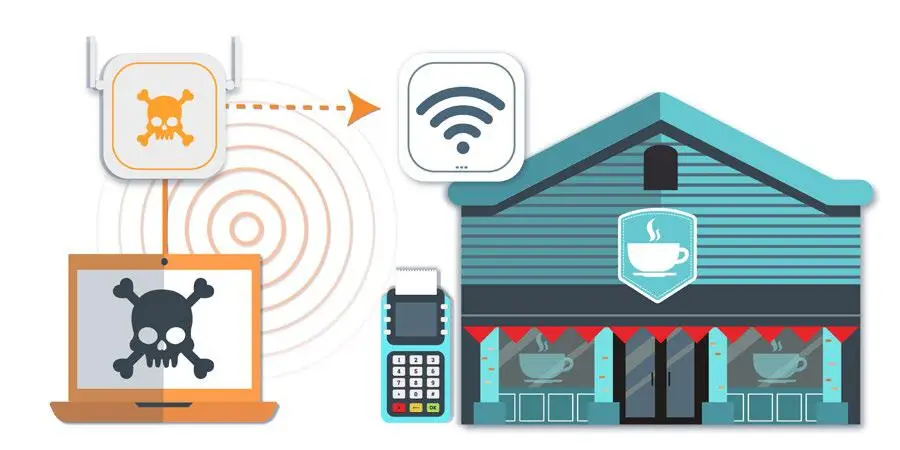
Wi-Fi Threat No.3
Rogue Access Point

What

A rogue AP is a wireless AP that has been installed on a secure network without explicit authorisation from an administrator.

How

Rogue APs are connected to the authorized network, usually with an open SSID, allowing the
attackers to bypass your perimeter security. This could be with a physical AP, or one created in software on a computer and bridged to an authorised network.

Example

You own a retail store that has customers coming in and out all day. When it’s busy, it’s impossible to keep an eye on everyone there every second of the day. It’s easy for someone to plug in the cheapest AP they could get and they’re now able to gain access to the company’s private secure network and can hijack POS systems to reveal credit card numbers and more.
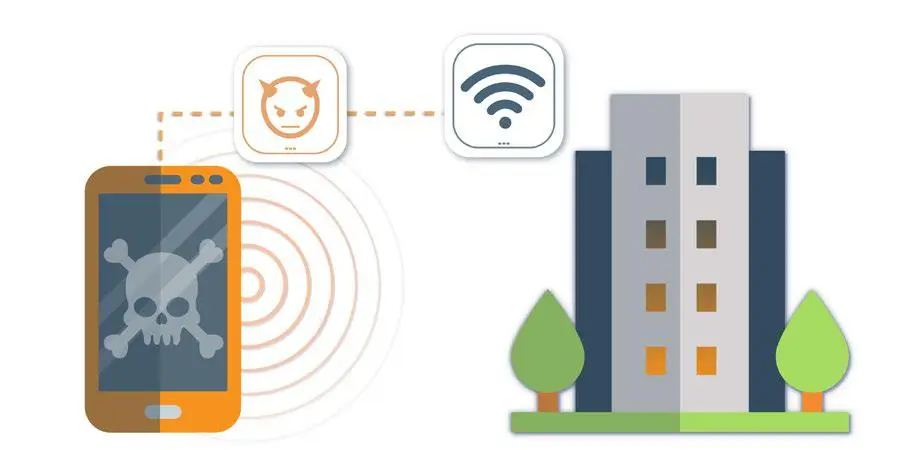
Wi-Fi Threat No.4
Rogue Client

What

Any client previously connected to a rogue AP or other malicious AP within the range of a private network is considered a rogue client.

How

A client typically becomes categorised as rogue if it has connected to any rogue AP, evil twin, or other malicious AP while within range of a private WLAN network. This client could have been victimised by a plethora of man-in-the-middle (MitM) attacks that include loading ransomworms, malware, or backdoors onto the client

Example

You stop by the same café on the way to work every day. Since you’ve connected to their
Wi-Fi network before, your phone automatically connects as soon as you set foot in the door.
Unfortunately, that day, someone had set up an evil twin AP, tricked your phone, and infected your phone while you’re in range of your private wireless local area network (WLAN) with ransomware for you to take back to the office. As soon as you’re back at your desk, your phone connects to your corporate Wi-Fi and the ransomware is off and running!
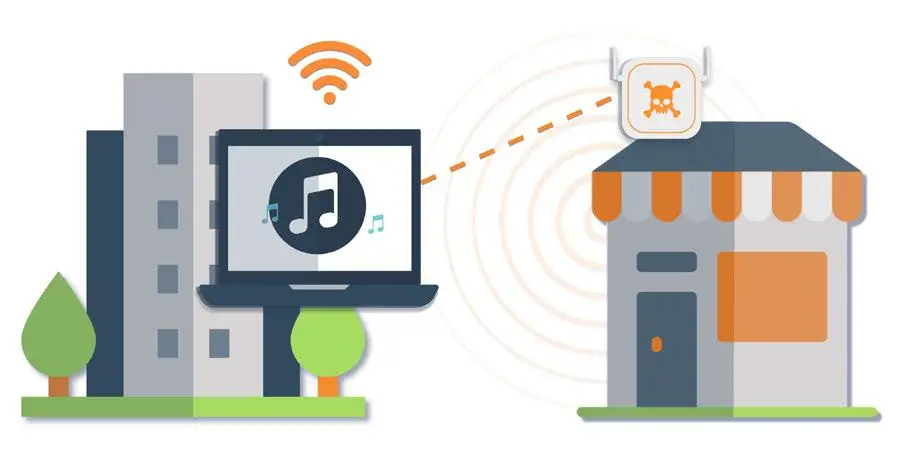
Wi-Fi Threat No.5
Neighbour Access Point

What

When an authorised client connects to a guest or external, neighbouring AP, bypassing the company’s perimeter security and getting around security restrictions set by the firewall.

How

There’s no super-secret hacker trick to this one. Any of your employees could be (and probably are) doing this right now. By choosing to connect their devices to the guest network or the coffee shop network downstairs, your employees are easily bypassing the security you’ve built into your network.

Example

Janice in marketing cannot get through the morning without listening to her favorite new
soundtrack. Her phone is almost dead, so she wants to use her company-issued computer to connect to a streaming site. Her company’s firewall restricts access to streaming music, but that’s no worry for Janice – she’ll just connect to the downstairs coffee shop’s unsecure Wi-Fi and start listening away. Unfortunately for you, a hacker is sipping his first cup of coffee, just waiting for her to connect and get to work on accessing your network.
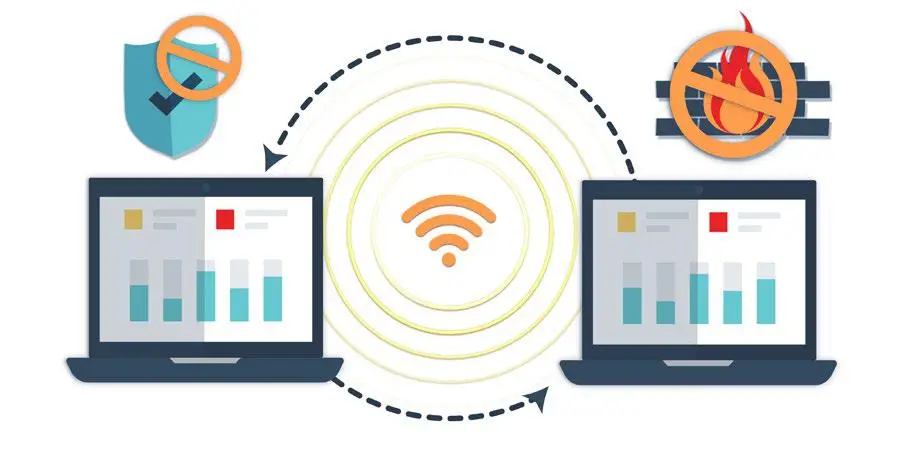
Wi-Fi Threat No.6
Ad-Hoc Network

What

A peer-to-peer Wi-Fi connection between clients that lets two or more devices communicate with each other directly, circumventing your network security policies and making the traffic completely invisible.

How

With a few simple clicks in your settings, any one of your employees could quickly set up an ad-hoc network between their colleague’s devices. This can create security and legal implications that could ultimately impact your business.

Example

As a meeting is getting ready to start, Carl’s boss is STILL waiting for that file he promised would be there this morning. It would take him too long to use the corporate-approved secure network file sharing, so he decides to set up an ad-hoc network to send it directly from laptop to laptop. Unfortunately for you, this opens the door to potential legal and security repercussions for your business.


Defending Against Wi-Fi Threats with a Trusted Wireless Environment

In a world with growing open Wi-Fi networks, Wi-Fi hackers are able to not only steal information but spread malware to computers on the network that could cost your businesses millions. You need a framework that empowers you to provide high-performing, yet secure Wi-Fi access to your customers and employees.

A Trusted Wireless Environment framework focuses on the three core pillars to enable the robust performance you want with the security you need. They are:

Let’s take a closer look at each of these, and what they mean for your business:

Market-Leading Performance

You should never be forced to compromise your security posture to achieve the performance levels necessary to support your Wi-Fi environment’s speed, connections and client density. As we’ve seen, slow performance on your corporate Wi-Fi can be an easy excuse for an employee to reroute their connection to a less secure, but faster Wi-Fi source.

A high-performing wireless network not only keeps employees connected to secure networks, but it also keeps them operating at peak efficiency. Any moment of downtime while waiting for something to load is an opportunity that they will get distracted, start scrolling through their phone, or take this moment to do a lap around the office.

Depending on your business, providing high-performing Wi-Fi could be the difference between a great customer experience and a bad review. For organisations like restaurants, hotels, even doctor’s & GP practices, customers that are planning to spend a significant amount of time (and often money) need to know they can count on your Wi-Fi performing without a hitch. A slow or spotty connection could be the thing that sends them across the street to your competitor – no matter how much they love your product!

A high-performing wireless network not only keeps employees connected to secure networks, but it also keeps them operating at peak efficiency.

Why WatchGuard

Being able to trust in the performance of your wireless connection shouldn’t be something that keeps you up at night – it should be something you know is going to be there day after day.

WatchGuard Secure Wi-Fi Cloud management platform and cutting-edge access points provide the performance you need to support your business. Our access point models are specifically designed to support medium-density environments like schools, distributed office spaces, retail stores, meeting rooms, restaurants and healthcare offices and high-density environments including large campuses, conference centres and shopping malls.

Additionally, our access points with multi-user MIMO (MU-MIMO) allow the access point to serve multiple client devices downstream simultaneously. This will decrease the time each device must wait for a transmission from the access point, speeding up your network! Best of all, you offer this high-performing wireless access to your employees and customers without having to turn off any of your security settings. Run full Wi-Fi security without slowing down performance – now that’s a Wi-Fi win-win!

WatchGuard Secure, Cloud-Managed Wi-Fi platform and cutting-edge access points provide the performance you need to support your business.

Scalable Management

Having a great Wi-Fi solution that is difficult to manage doesn’t help you better secure or operate the wireless connectivity for your business. You need a solution that is easy to set up and manage, giving you control over your entire wireless network, no matter the size, from a single interface and allowing you to execute key processes to safeguard the environment and its users.

As your business grows, your Wi-Fi deployment should easily grow with you. Centralising your Wi-Fi management enables you to take your business from one wireless access point to an unlimited number across multiple locations with no controller infrastructure.

In this Wi-Fi connected world, you also need visibility into crucial information such as signal strength coverage, wireless client bandwidth consumption, access point utilisation, application visibility and client distribution to give you the full picture of what’s happening in your business. Being able to easily visualize this data, as well as generate customizable reports on this data, means you can know what’s happening within your business without spending hours looking at a dashboard.

Centralising your Wi-Fi management enables you to take your business from one to an unlimited number of access points across multiple locations with no controller infrastructure.

Why WatchGuard

Easy to set up and manage, Wi-Fi Cloud lets you control your entire wireless network from a single interface, while enabling you to group access points in whatever way is easiest for you including location, building, floor or even customer if you’re a managed service provider.

Reports, dashboards widget, configuration templates and various analytics information are viewable throughout WatchGuard Wi-Fi Cloud. Admins can easily create unlimited nested folders to represent buildings, floors, or any group, providing visibility into the folder as a whole or enabling you to view only the analytics for a specific level.

You can also gain visibility into applications that are operating within the Wi-Fi network. Monitor and report on more than 1,300 Layer 2 and above applications (like Facebook, YouTube, Instagram, etc.) to mandate fair usage policies and minimise network congestion.

Lastly, stay up to date on your Wi-Fi environment with pre-defined and customisable templates for automated reporting of Wi-Fi threats, usage, client inventory, compliance status and performance. The powerful reporting engine of the Wi-Fi Cloud allows you to schedule reports to be delivered automatically to the email recipients of your choice.

Reports, dashboards widget, configuration templates and various analytics information are viewable throughout WatchGuard Wi-Fi Cloud.

Verified Comprehensive Security

Many of today’s Wi-Fi vendors rely on ambiguity when it comes to delivering “secure” Wi-Fi. Like any part of securing your business, you need proof that the solution will protect your business from Wi-Fi attacks.

A truly comprehensive security solution will deliver on three key benefits by:

It’s been challenging to find this type of security data from most major Wi-Fi vendors, because frankly, the testing of security efficacy in Wi-Fi solutions has never been done. Until now.

In a recent, never-been-done series of tests, industry-leading reporting expert Miercom put some of the top access points to the challenge of supporting real-time applications while simultaneously detecting and preventing common wireless security threats. The tests included the 6 known Wi-Fi threat categories, and Miercom recorded the time to detect the threat AND the time to prevent each threat.

Why WatchGuard

WatchGuard is the ONLY vendor to not only detect, but automatically prevent the 6 known Wi-Fi threat categories. The WatchGuard Wi-Fi solution was also the only vendor able to detect and prevent all threats simultaneously in under 20 seconds.

Our patented Wireless Intrusion Prevention System (WIPS) is unlike any other Wi-Fi security solution on the market, ensuring that you have real, accurate and automated Wi-Fi protection for your business. While other vendors use signatures and rely heavily on MAC address correlation rules that can lead to a high volume of false positives, our marker packet technology secures your airspace with little to no false positives.

WatchGuard WIPS is the only solution in the marketplace that scans all access points and client devices in the area and classifies them as authorised, external, or rogue. By quickly and reliably differentiating access points and clients, you can make sure that authorised APs and clients have the access they need, external APs and clients are left alone, and rogue APs and clients are blocked from connecting.

Reports, dashboards widget, configuration templates and various analytics information are viewable throughout WatchGuard Wi-Fi Cloud.

The ONLY Choice for your Trusted Wireless Environment

WatchGuard is the only company to provide businesses the technology and solutions that you can use to build a Trusted Wireless Environment – delivering on each of the three core pillars of market-leading performance, scalable management, and verified comprehensive security that protects from all 6 known Wi-Fi threat categories. Across the board, in every test, WatchGuard is the only choice.

Key findings from the Miercom report concluded that WatchGuard was the ONLY vendor to:

Learn more about building your Trusted Wireless Environment​
Get in touch with us today so we can help you with your WatchGuard requirements
Do you use WatchGuard products and services?

Get in touch

Fill out the form below, and we will be in touch shortly.

We respect your privacy. Your information will only be used to respond to your enquiry.